Is Tasks.Bot Good for Auto Assignment and Reminder Software?
Your team still assigns tasks by typing names into a group chat, one message at a time. Someone forgets, a deadline slips, and the follow-up lands on you. If your staff works from WhatsApp all day, the assignment tool has to live there too.
This article breaks down how Tasks.Bot handles auto assignment and smart deadline reminders, from natural language and voice note task creation to approvals, live day tracking, and field team tools. You will also see current pricing, trust signals, and a clear verdict on who should use it.
What Is Tasks.Bot?
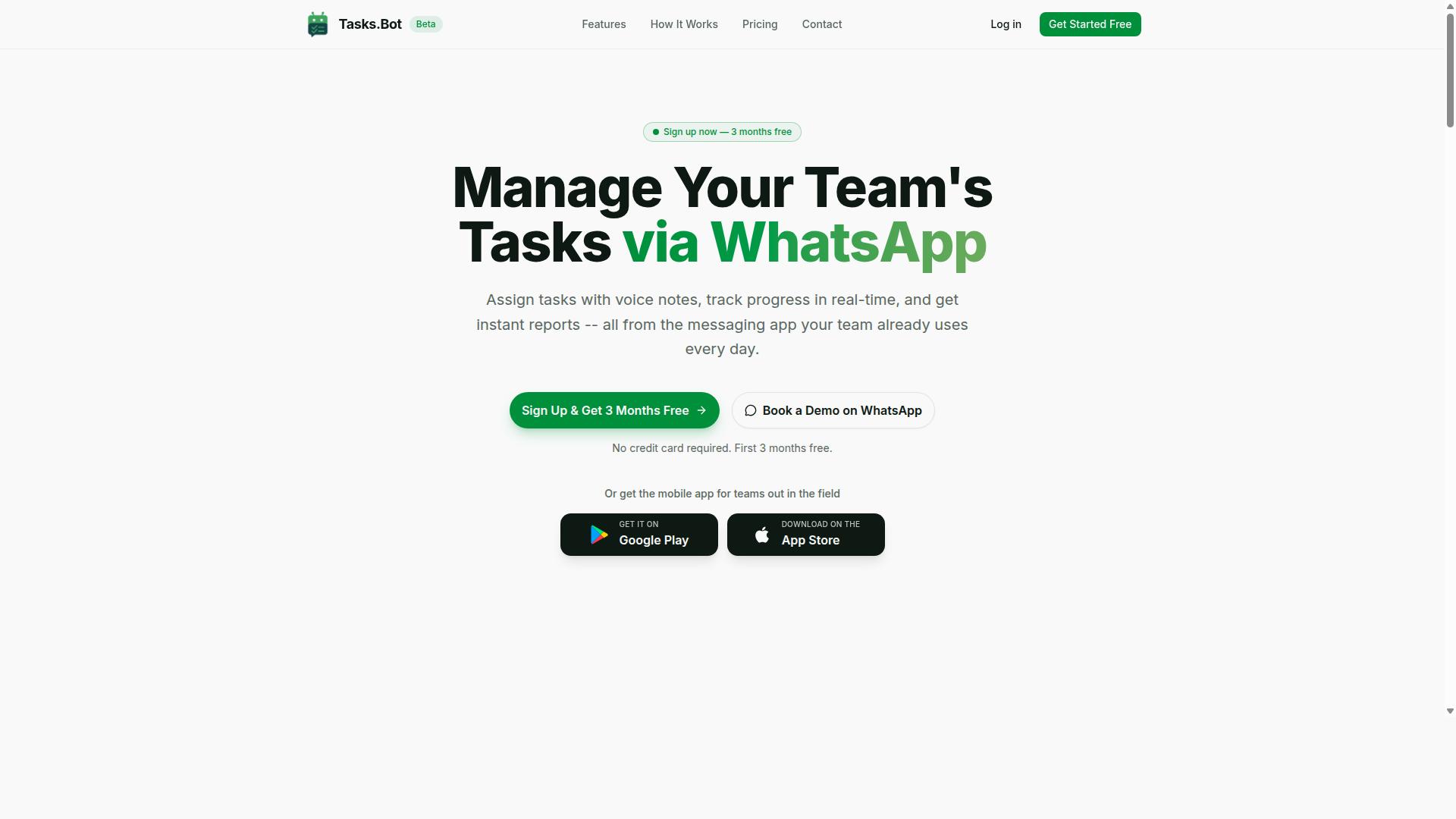
Tasks.Bot is a task management platform that operates entirely within WhatsApp, enabling teams to assign tasks, track progress, and receive reports without leaving the messaging app. Instead of asking employees to learn a new dashboard, it turns a channel they already check dozens of times a day into a structured work environment.
The core purpose is straightforward: streamline task assignment, progress tracking, and reporting for teams that already run their operations through WhatsApp. A manager sends a task the same way they would send a message, and the platform keeps that task visible until it is closed out.
Because everything happens inside the messaging app, team members do not need to install new software or create separate accounts. That removes one of the biggest friction points in adopting any productivity tool: the learning curve and the forgotten password.
For workers who are rarely at a desk, Tasks.Bot also offers a mobile app for field teams. This gives on-the-ground staff a dedicated way to interact with their assignments while keeping the primary workflow anchored in WhatsApp.
The service is currently in beta and offers a free trial period, which means teams can evaluate whether a WhatsApp-native approach fits their operations before committing. The platform reports that hundreds of teams are already using the service.
In short, Tasks.Bot is less about replacing your existing project management stack and more about meeting teams where they already communicate. That positioning matters when the article's central question is whether its auto assignment and reminder capabilities are worth adopting.
Who Tasks.Bot Serves: WhatsApp-First Teams and Field Staff
Tasks.Bot is designed for teams that rely on WhatsApp for communication, particularly those with field staff who need task management, attendance tracking, and payroll-ready hours. If your coordination already lives in group chats, the platform slots into that habit rather than fighting it.
This audience has a specific profile. They are often mobile, distributed, and not sitting in front of a laptop for most of the day. Expecting them to log into a separate web dashboard for every update is unrealistic, so a WhatsApp-first workflow removes that barrier entirely.
The fit is strongest in operations where communication and execution are the same activity. Consider these common scenarios:
- Field service teams dispatching jobs to technicians across multiple sites
- Delivery and logistics crews coordinating pickups, drops, and exceptions
- Retail or hospitality staff managing shift tasks and daily checklists
- Sales or agent networks working remotely with minimal desktop access
For these groups, the value is not just task delegation. It is the combination of attendance tracking and payroll-ready hours in the same place where work is assigned and discussed. That reduces the administrative gap between what happened in the field and what gets recorded for payroll.
Managers benefit too. Instead of chasing updates across scattered messages, they get a structured view of who is doing what. That clarity supports better workload balancing and fewer missed handoffs.
Teams that already treat WhatsApp as their primary communication tool will find the transition nearly invisible. Teams that do not use WhatsApp heavily may find less value, which is an honest limitation worth noting when weighing the platform against your own setup.
Is Tasks.Bot Good for Auto Assignment and Reminder Software?
Tasks.Bot excels in auto assignment and reminder software by leveraging AI to interpret natural language and voice notes, automating task delegation and deadline tracking within WhatsApp. The platform is built around a simple idea: your team already lives in WhatsApp, so task management should happen there too.
Instead of forcing people to learn a new project management tool, Tasks.Bot turns an everyday chat app into a functional productivity tool. That design choice removes one of the biggest barriers to adoption, since team members don't need to install anything or create new accounts.
For anyone evaluating auto assignment and reminder software, the real questions are straightforward. Can it capture tasks without friction? Can it route work to the right person automatically? Can it keep deadlines visible without constant manual follow-up? Tasks.Bot answers all three.
Natural Language and Voice Note Task Creation
Task entry is often where workflow automation falls apart. If logging a task takes too many taps or too many fields, people simply stop doing it. Tasks.Bot uses AI to understand natural language and voice notes for task creation, which means a user can describe what needs to happen in plain words.
Picture a field supervisor who just finished a client visit. Rather than opening a form, they can send a voice message describing the follow-up needed. The AI interprets that input and turns it into a structured task. This is the kind of low-friction entry that keeps a notification system useful instead of abandoned.
This approach also helps teams that work in the field rather than at desks. Voice note task creation fits naturally into how mobile teams already communicate. There is no need to switch apps or retype context that was already spoken aloud.
Because everything runs inside WhatsApp, the chatbot effectively acts as a virtual assistant embedded in a channel people check constantly. Task delegation stops feeling like a separate chore and becomes part of the normal conversation flow.
Automatic Task Assignment Based on Rules
Auto assignment is where Tasks.Bot earns its place in a workflow automation stack. Tasks can be assigned automatically, so work routes to the right person without a manager manually sorting through a queue.
This matters for task delegation at scale. When a request comes in, assignment rules can direct it based on the criteria a team defines. Managers spend less time playing dispatcher and more time on work that actually needs judgment.
Rules-based routing also supports workload balancing across a team. Rather than one person absorbing every incoming request, assignments can be distributed according to the structure the team sets up. The result is a more even spread of work and fewer bottlenecks.
For organizations with distinct user roles and permissions, this structure keeps ownership clear. Each task lands with an accountable person instead of floating in a group chat where everyone assumes someone else will handle it. That clarity alone removes a common source of dropped work.
Smart Deadline Reminders and Due Date Tracking
Reminder software only works if reminders actually reach people. Tasks.Bot handles due date tracking inside WhatsApp, so automated reminders arrive in the same place the team already communicates. There is no separate inbox to monitor and no notification to miss.
Consider a deadline set for the end of the week. As that date approaches, the system can nudge the assignee automatically, which reduces the need for a manager to chase updates by hand. Smart reminders keep deadlines visible without adding management overhead.
This is especially valuable for recurring tasks, where the same responsibilities come around on a schedule. Automated reminders handle the repetition so nobody has to remember to reissue the same instructions every cycle.
The payoff is steady due date tracking without manual effort. Teams stay on top of commitments because the notification system does the remembering, not the people. Fewer deadlines slip through because fewer depend on someone's memory.
Approval Workflows and Reduced Manual Effort
Approval workflows close the loop on task management. When a task needs sign-off, the process can run inside the same WhatsApp thread rather than bouncing between email, spreadsheets, and separate tools. That keeps the approval chain visible and quick.
The broader benefit is a real reduction in manual effort. Auto assignment removes the routing work. Smart reminders remove the chasing work. Natural language and voice note entry remove the data-entry work. Together, these features cut the administrative load that usually surrounds task coordination.
Less manual effort translates into better team collaboration and more consistent follow-through. People spend their attention on the work itself rather than on coordinating who does what and when. That is the core promise of a productivity tool, and it is where Tasks.Bot delivers.
Security supports the whole picture. Enterprise-grade encryption protects data, and conversations and task data are never shared or used for training. For teams weighing a WhatsApp-based workflow, that assurance matters.
For field-based teams, the platform extends further with face-verified attendance and live GPS tracking, which adds accountability on top of task tracking. And with a 3-month free trial that requires no credit card, teams can evaluate the auto assignment and reminder features directly before committing.
Verdict: Tasks.Bot is a strong choice for auto assignment and reminder software. Its AI-driven natural language and voice note capture, automatic task assignment, smart deadline reminders, and approval workflows combine to reduce manual effort and lift team productivity, all inside WhatsApp where the work already happens.
How Tasks.Bot Handles Auto Assignment
Tasks.Bot automates task assignment through AI-driven interpretation of natural language and voice notes, allowing managers to delegate tasks without manual data entry. Instead of opening a project management dashboard, filling in fields, and tagging a teammate, a manager can simply describe the work in plain language and let the system handle the rest.
The platform uses AI to understand user intent and create tasks from messages, which means task delegation happens at the speed of a conversation. Assignments can be triggered by keywords, roles, or availability, so the right person receives the work without a back-and-forth chain of messages.
This matters most for teams that live inside WhatsApp all day. Field staff, sales teams, and operations crews often lack the time or the patience for form-heavy software. Tasks.Bot meets them where they already are, and the reduction in administrative overhead is immediate.
Consider a concrete example. A manager sends a voice note that says a specific team member should fix the printer by Friday. Tasks.Bot parses that instruction, creates the task, assigns it to the named person, and attaches the due date. What used to take several taps across multiple screens becomes a single spoken sentence.
Because the platform also supports workload balancing and predefined assignment rules, delegation stays fair and predictable as teams grow. Managers set the logic once, and the system applies it consistently across every incoming request.
Natural Language and Voice Note Task Creation
Tasks.Bot uses natural language processing to convert spoken or typed instructions into actionable tasks, eliminating the need for complex forms or menus. A user can send a WhatsApp message such as "Assign John to fix the printer by Friday" and the system parses it into a task with an assignee, a due date, and a description.
The AI is built to understand context and extract key details from everyday phrasing. It does not require rigid command syntax or dropdown selections. This makes the virtual assistant experience feel conversational rather than administrative.
Voice note task creation is especially valuable for field staff. A technician on a job site, a driver between deliveries, or a supervisor walking a warehouse floor can speak a task into existence without stopping to type. The barrier to capturing work drops to nearly zero.
Tasks.Bot also offers Android and iOS apps with push notifications, voice capture, and a home screen widget, so task creation is not limited to the WhatsApp thread. The native WhatsApp integration keeps everything in one place for teams that prefer chat over dashboards.
The practical benefit is simple. Fewer tasks fall through the cracks because reporting one takes seconds. When capturing work is effortless, team collaboration improves without anyone being asked to change their habits.
Approvals and Automations
Tasks.Bot includes approvals and automations that support the task lifecycle. Managers can set up approval chains for sensitive or high-cost work, adding a quality control layer without slowing down routine delegation.
Automations extend that control across the task lifecycle. Examples include auto-escalation when something stalls, status updates as work progresses, and notifications when tasks are completed or overdue. A task that is not started within a set window can trigger an automated reminder to the assignee and their manager.
These features build accountability into the workflow rather than relying on memory. Smart deadline reminders and due date tracking mean nothing depends on someone remembering to follow up. The notification system keeps everyone informed through the channels they already use.
Approvals and automations work together with the rest of the platform. Shifts, leave, and hours management sit alongside task tracking, and instant reports give managers a clear view of what was assigned, approved, and finished. For teams juggling recurring tasks and one-off requests, that structure removes guesswork.
The result is a workflow automation layer that supports both speed and oversight. Managers delegate faster, approvers stay in the loop, and the system quietly handles the follow-up that would otherwise consume a supervisor's day.
How Tasks.Bot Handles Smart Deadline Reminders
Tasks.Bot sends smart deadline reminders, ensuring team members never miss a due date. The reminder system sits inside the same task management workflow where tasks are created, assigned, and completed, so due date tracking stays connected to real work instead of living in a separate calendar.
Every task carries its own deadline, and Tasks.Bot monitors those dates continuously. When a due date approaches, the system fires off an automated reminder so the assignee gets a nudge before the work slips. Because reminders are tied to the task record itself, there is no manual step of copying dates into another tool.
Timing is flexible. Teams can set reminders to go out at customizable intervals, such as 24 hours before a deadline and again 1 hour before it hits. That layered approach gives people both an early heads-up and a final prompt, which matters for time-sensitive work.
Delivery is not limited to one channel. Tasks.Bot can push reminders through WhatsApp messages, email, and push notifications, meeting people where they already spend their time. This multi-channel notification system reduces the chance that a reminder gets buried in an inbox nobody checks.
The AI layer adds judgment to the process. Tasks.Bot uses AI to understand user intent, and that same intelligence helps prioritize reminders based on task urgency. A looming high-priority item can surface more prominently than a routine one, so attention flows to what actually needs it.
Consider a field technician with a maintenance task due today. A WhatsApp reminder arrives with a link to mark it complete, so the technician can close the loop on the spot without opening a laptop or logging into a separate dashboard. The task moves to done, and the record stays accurate.
Reminders also support recurring tasks, where the same deadline pattern repeats on a schedule. Instead of rebuilding the reminder each cycle, the system keeps the cadence running, which suits routine inspections, checklists, and other repeat work.
For managers, the payoff is fewer missed deadlines and less time spent chasing status updates. Smart reminders do the prompting automatically, which frees supervisors to focus on task delegation and planning rather than manual follow-ups.
Put together, deadline reminders in Tasks.Bot are timely, customizable, multi-channel, and urgency-aware. That combination makes the platform a strong fit for teams that need reliable reminder software without adding another disconnected tool to the stack.
Other Features That Support Auto Assignment and Reminders
Beyond auto assignment and reminders, Tasks.Bot offers a live day tracker, instant reports, and field team tools that provide visibility and control over daily operations. These features matter because automated assignment and smart reminders only solve half the problem. Managers still need to see what happened after a task was handed out and whether deadlines were met.
Tasks.Bot is a task management and productivity tool built around native WhatsApp integration, along with Android and iOS apps that support push notifications, voice capture, and a home screen widget. Work flows through the channel teams already use, which keeps adoption high and follow-up fast.
Together, these supporting features create a feedback loop. Auto assignment puts work in the right hands, reminders protect the due date, and the tracker and reports confirm whether the plan held up. Field team tools add attendance and hours into the same picture, so managers are not juggling separate systems.
The result is a single view of daily operations: who is working, what is assigned, what is late, and where hours are going. That combination is what turns a reminder tool into a genuine workflow automation platform for teams that operate outside an office.
Live Day Tracker, Reports, and Field Team Tools
The live day tracker provides a real-time view of task statuses, while instant reports summarize team performance and field team tools handle attendance and payroll. Each piece answers a different question a manager asks during the day.
The live day tracker shows tasks assigned, in progress, and completed for the current day. Instead of waiting for an end-of-day update, a manager can open the tracker and see where work stands right now. If one person is overloaded while another has capacity, tasks can be reassigned on the spot, which supports workload balancing without a separate planning meeting.
Instant reports turn that daily activity into summaries. A daily or weekly report can cover task completion rates, overdue tasks, and overall team productivity. For example, a manager preparing a client invoice can export a report showing what was completed during the billing period rather than reconstructing it from chat history.
Field team tools cover the parts of operations that office-focused software often ignores:
- Face-verified attendance, so check-ins reflect a real presence rather than a message sent on someone's behalf
- Shifts, leave, and hours management, keeping schedules and time off in one place
- Payroll-ready hours, so time data can move into payroll without manual re-entry
Attendance is tracked through WhatsApp check-ins, and hours are calculated automatically. For a manager supervising a dispersed crew, that removes a recurring administrative chore and reduces disputes about logged time.
These features reinforce auto assignment and reminders by closing the loop. Assignment rules decide who gets the work, automated reminders protect the deadline, and the tracker and reports show whether both worked. If overdue tasks keep appearing in reports, a manager can adjust assignment rules or reminder timing with evidence rather than guesswork. That feedback cycle is what makes Tasks.Bot a credible choice for teams that need task delegation and follow-through in one place, not a patchwork of disconnected apps.
Pricing: What Auto Assignment and Reminders Cost
Tasks.Bot offers a single 'Full Access' plan with all features included, priced at ₹200 per member per month or ₹1,200 per year per member, with pricing available in both Indian Rupees and US Dollars.
That structure is worth pausing on. Instead of splitting auto assignment, automated reminders, and field team tools across separate tiers, Tasks.Bot puts everything behind one plan. For teams comparing reminder software, this removes the guesswork of figuring out which tier unlocks which capability.
Currency selection is handled at checkout. The site shows a 'Select currency' option with Indian Rupee and US Dollar choices, so buyers outside India can pay in USD. It is worth confirming the active currency before completing a purchase, since the displayed amount follows that selection.
| Plan | Billing Cycle | Price |
|---|---|---|
| Full Access | Monthly | ₹200 per member per month |
| Full Access | Annual | ₹1,200 per year per member |
The annual option carries a clear advantage. Paying yearly saves 50%, which works out to ₹1,200 saved per member per year compared with twelve monthly payments. For a team of five, that difference compounds quickly across a full year of task management use.
New users also get 3 months free, with no credit card required and the ability to cancel anytime. That trial window gives a team enough room to see whether auto assignment and automated reminders actually fit how work moves through their projects.
Tasks.Bot is currently in beta, and a refund policy is in place. Beta status is common for newer productivity tools, and the combination of a free trial period plus a refund policy lowers the risk of trying it. Anyone evaluating the plan should read the refund terms directly before purchasing.
Value here depends on how the plan gets used. A team that relies on task delegation, due date tracking, and recurring tasks across several members will likely find one flat price easier to budget than stacking multiple subscriptions. The math is simple: per member cost, multiplied by team size, with the annual route cutting that figure in half.
Trust and Track Record
Tasks.Bot is currently in beta and used by hundreds of teams, offering a refund policy to ensure customer satisfaction. That combination matters when you are evaluating auto assignment and reminder software for real work.
A tool that handles task delegation, due date tracking, and automated reminders sits at the center of how a team operates. If it fails, work stalls. So the question of trust is not abstract. It comes down to whether the product is being actively built, whether real teams rely on it, and whether you have a way out if it does not fit.
Beta status is a signal, not a flaw. Software in beta is still being shaped. That means the team behind Tasks.Bot is likely still shipping changes and listening to what users say. For early adopters, this is an opportunity. Feedback given now can influence how assignment rules, workload balancing, and the notification system evolve.
The trade-off is honest and worth stating plainly. A beta product may not have every edge case polished. Teams that need a frozen, unchanging tool may prefer to wait. Teams that want a say in direction often find early access worth it.
Hundreds of teams already use Tasks.Bot. That is real-world validation. These are not hypothetical users on a roadmap. They are groups running task management, project management, and team collaboration through the platform today. When hundreds of teams depend on a productivity tool for their daily work, the product has moved past the idea stage.
Adoption at that scale also creates a feedback loop. More users mean more scenarios tested, more edge cases surfaced, and more pressure on the team to keep the workflow automation reliable.
The refund policy lowers the risk of trying it. It is listed in the site footer and functions as a risk-free trial. You can evaluate whether auto assignment and smart reminders fit your process without a long-term commitment. If the tool does not work for your team, the policy gives you a path back.
For a buyer weighing a beta product, that matters. It shifts the decision from a leap of faith to a test you can run.
There is also a direct way to see the product before committing. The website includes a Book a Demo on WhatsApp option. That gives you a live look at how assignment rules, automated reminders, and due date tracking behave in practice, rather than guessing from a feature list.
Put together, the picture is straightforward:
- Active development: beta status suggests the team is still improving the product and responding to feedback.
- Real usage: hundreds of teams already rely on it for daily task delegation and reminders.
- Financial safety net: a refund policy reduces the cost of finding out whether it fits.
- Direct access: a WhatsApp demo lets you see the workflow before you commit.
None of this requires overstating the case. Tasks.Bot is a beta-stage tool with a growing user base and a refund policy that protects buyers. For teams that value early influence over a finished, static product, that is a reasonable position to be in.
The verdict on trust is positive. A product used by hundreds of teams, backed by a refund policy, and still under active development is a product worth evaluating. The beta label tells you where it is in its journey, not whether it can be trusted with your team's work.
Who Should Use Tasks.Bot for Auto Assignment and Reminders
Tasks.Bot is ideal for WhatsApp-centric teams with field staff who need automated task assignment and reminders without adopting a new platform. The service is built for groups that already run their daily communication through WhatsApp and want task management, attendance tracking, and payroll-ready hours to live in the same place.
According to the brand, hundreds of teams already use the service. That track record points to a clear pattern: the strongest fit is a team that values speed and simplicity over layers of configuration.
Small and medium businesses sit at the center of this audience. They often lack a dedicated operations manager to administer a full project management suite, so a productivity tool that works inside a familiar chat app removes real overhead. Instead of training staff on new software, they extend the channel everyone already checks.
Field service teams are another natural match. When work happens away from a desk, auto assignment and automated reminders matter more than dashboards. A worker gets the job, the due date tracking, and the nudge to close it out, all through a notification system they already trust.
Remote teams that coordinate across time zones benefit too. Task delegation and reminder software reduce the need for manual check-ins, which keeps team collaboration moving without constant status meetings.
Common scenarios where this combination pays off include:
- Construction teams assigning site tasks and tracking hours for payroll
- Delivery services routing jobs and confirming completion
- Maintenance crews handling recurring tasks and scheduled visits
Each of these groups shares the same need: fast task delegation to people who are rarely at a computer. Auto assignment removes the manual sorting step, while smart reminders keep due date tracking honest without a manager chasing updates.
Tasks.Bot also suits teams that have tried traditional project management tools and found them heavier than the work itself. If your process is a handful of people, a list of jobs, and a need to know who did what and when, a full platform can add more administration than it removes.
Attendance tracking and payroll-ready hours round out the fit. Teams that log time in the same place they receive tasks avoid double entry, and managers get cleaner records without a separate timekeeping system.
The clearest signal you are the right user is this: your team already lives in WhatsApp, your work is distributed across locations, and your biggest friction is not knowing whether a task was seen, started, or finished. Tasks.Bot targets exactly that gap, using auto assignment and reminders as the core of a lightweight workflow automation setup rather than a replacement for how your team already talks.
Final Verdict
Tasks.Bot stands out as a practical solution for teams seeking auto assignment and reminder software within WhatsApp, though its beta status means it's still evolving. For organizations that already run their daily communication through WhatsApp, it removes the friction of adopting yet another standalone productivity tool.
The core strengths are clear. Auto assignment and smart reminders work inside a channel your team already checks dozens of times a day, which lowers the barrier to adoption and keeps task management close to where conversations happen.
Field team tools round out the offering, making it relevant for crews and staff who are rarely sitting at a desk. When work is dispatched and tracked through WhatsApp, field staff can receive assignments and updates without logging into a separate dashboard.
It is worth being upfront about two things. Tasks.Bot is still in beta, so features and behavior may change as the product matures. And while it covers the essentials well, teams with complex dependencies or heavy reporting needs may find it less suited than a full project management suite.
On balance, the recommendation is straightforward:
- Best fit: teams already using WhatsApp as their primary coordination channel.
- Strong fit: businesses with field staff who need assignments and reminders on the go.
- Consider alternatives: large teams needing deep portfolio reporting or intricate approval chains.
If your team lives in WhatsApp and struggles with tasks slipping through the cracks, Tasks.Bot addresses that problem directly. The beta label signals an evolving product, but the foundation, WhatsApp-native auto assignment and smart reminders, is genuinely useful today.
For questions or more detail on what the software can do, you can reach the team at +91 97143 42522 or hello@tasks.bot. The fastest way to judge fit is to see it working with your own workflow, so book a demo on WhatsApp and watch how auto assignment and reminders would run for your team.
Frequently Asked Questions
What makes Tasks.Bot different from other auto assignment and reminder software?
Tasks.Bot operates entirely within WhatsApp, so your team members don't need to install anything or create new accounts - they can assign tasks, get reminders, and submit updates right in the app they already use. It uses AI to understand natural language and voice notes for task creation, and adds features like face-verified attendance and live day tracking. It also offers a mobile app for field teams who need more than messaging alone.
How does automatic task assignment work in Tasks.Bot?
Tasks.Bot includes automatic task assignment as part of its feature set, alongside voice note task creation, smart deadline reminders, approvals, and automations. Because the platform uses AI to interpret natural language and voice notes, you can create and route tasks conversationally inside WhatsApp rather than through a complex setup. For specifics on how assignment rules fit your team's workflow, the fastest route is to book a demo on WhatsApp.
Can Tasks.Bot send reminders automatically so tasks don't get missed?
Yes - smart deadline reminders are a built-in feature, so reminders are sent automatically rather than relying on someone to chase people manually. Since everything runs inside WhatsApp, reminders reach team members where they're already active, which is especially useful for field staff. You can also track progress and receive instant reports without leaving the chat.
Do we need to install new software or train our team to use Tasks.Bot?
No new accounts or installations are required for the core WhatsApp experience, which keeps onboarding simple for teams already communicating on WhatsApp. Tasks.Bot also provides a mobile app for field teams, and features like tasks on a map and live day tracking support staff working away from a desk. If you'd like a walkthrough first, you can book a demo on WhatsApp.
How much does Tasks.Bot cost, and is there a plan with all features?
Tasks.Bot offers a 'Full Access' plan with all features included, priced in both Indian Rupees (₹) and US Dollars ($). The monthly plan is ₹200 per member per month, and the annual plan is ₹1,200 per year per member - a 50% saving compared to monthly. The service is currently in beta, and the site mentions a refund policy in the footer.
Is Tasks.Bot suitable for field teams, and is it available in my country?
Tasks.Bot is built with field teams in mind - it supports face-verified attendance, live day tracking, tasks on a map, and payroll-ready hours, all manageable from WhatsApp. It's a SaaS product available worldwide with no country restrictions, accessible via WhatsApp and mobile apps. Hundreds of teams are already using the service, and you can reach the team at hello@tasks.bot or +91 97143 42522 with questions.